Don’t just sell your location. Sell the surroundings.
A guest who sees what there is to do nearby sees straight away why they should stay with you. One line of code puts the restaurants, walks and sights around your location on your own website. We find them, check them and keep them up to date.
-
No competitors visible on your map
-
One line of code on your site
-
We keep the surroundings current
-
No cookies or banner in the widget
The difference
On your map, guests see no competition
A general map service also shows your guest where your neighbours are. With NearPin, you decide what is on the map.
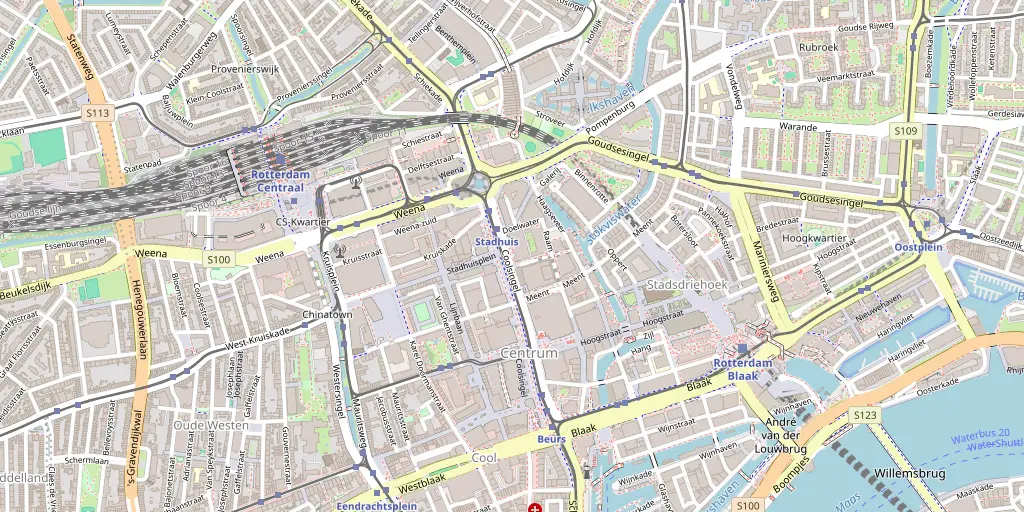
A general map service
- Also shows the hotels, campsites and B&Bs next door
- Sends your guest on to another platform
- You have no say in what is listed
NearPin on your website
- No competitors in the widget
- Everything stays on your own website
- You choose which categories your guests see
What is NearPin?
The answer to every guest’s question, on your own website
Every guest asks the same thing: where can we eat tonight, and what is there to do around here? NearPin answers that question on your own website, with a map of everything around your location.
You add one line of code to your site. It shows a map of the places nearby: food and drink, nature, culture, shopping and practical stops such as a cash machine or a pharmacy. Visitors tap a place for a short description of its atmosphere, its website, opening hours and directions.
You don’t have to enter any of those places yourself: we have already found and checked them for you, and we keep them up to date. If a restaurant closes or a museum moves, your map follows automatically.
And what NearPin is not
- Not a booking system: your guest reserves with the place itself.
- No second app: your guest has nothing to download and nothing to sign up for or log in to.
What’s in the widget
-
The places around your location on one map, each type with its own icon. Not a long list, but a picture your guest understands at a glance, even if they have never been here.
-
Tabs for food and drink, nature, culture, shopping and practical stops, with a radius of 1, 5, 10 or 15 kilometres. A family with children finds something different than a couple heading out.
-
The widget speaks Dutch, English, German and French. You set the default language; guests can switch themselves and the widget remembers their choice. Handy for guests from across the border.
-
On a phone while out and about, on a laptop at home: the map adapts to the screen and stays easy to use. The filters and the legend stay easy to read, too.
-
Download a print-ready QR code. Guests scan it at check-in and have the map on their own phone, with no app and no login. Handy for the front desk, the room or the welcome folder.
How it works
Create your widget
Enter your address and choose which categories your guests see. The map fills up straight away with the places that belong to them.
Try it for free
Your first widget runs free on trial, live on your own site. If you like it, you activate it.
Paste one line of code
Copy the code to your website and download the QR code for the front desk. We take care of the maintaining.
Do you run a restaurant, museum or attraction?
You may already be on the map of nearby hotels and campsites. Claim your listing and add your photos and menu, for free.
From the blog
All articlesMake a guest tips map in Google My Maps
Google My Maps lets you make your own map with tips for guests, for free. Here is how it works, what it costs you in time, and when a map that keeps itself up to date is easier.
22 October 2026 · 2 min read
Read more: Make a guest tips map in Google My MapsThe local area in your digital guest directory
A digital guest directory holds everything guests need to know about their stay. The local area is one part of it. NearPin provides that part, plus a page guests open with a QR code.
22 October 2026 · 2 min read
Read more: The local area in your digital guest directoryNearPin, Google Maps or an agency map: costs
There are three ways to show the surroundings on your website: a Google Maps embed, a map built by an agency, or a ready-made widget. Here is what they do and what they cost.
22 October 2026 · 2 min read
Read more: NearPin, Google Maps or an agency map: costsPut the surroundings on your website, before your guest goes looking elsewhere
See the map on your own address before you change anything on your website. Try it for free, or let us walk you through it in a short demo.
First widget free for 14 days. Early Bird: €23.95 per widget per month, 10 spots left, then €29.95 (excl. VAT).